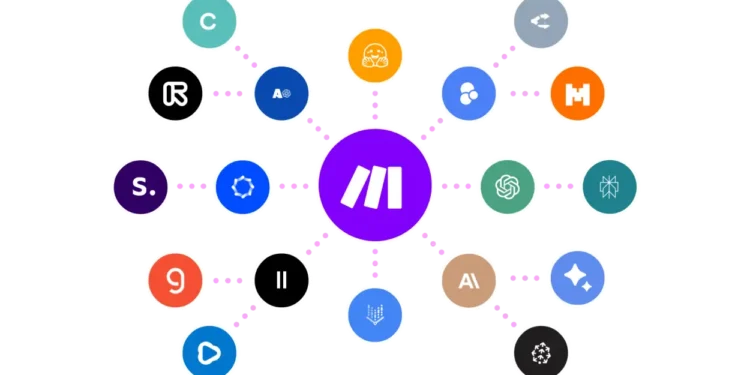
Make (formerly Integromat, and still often called Make.com) is a visual automation platform that connects apps and builds multi-step workflows without writing code. For Moroccan entrepreneurs running lean operations across sales channels, invoicing, and manual reporting, or diaspora founders coordinating a team split between Morocco and abroad, it turns repetitive admin work into a workflow that runs on its own, at a price that stays within reach for a small team’s budget.
Key features
- Visual, drag-and-drop scenario builder that lays out the whole workflow on one canvas, instead of a hidden chain of triggers.
- Over 3,000 pre-built app integrations (Google Workspace, Shopify, WhatsApp Business, Airtable, most CRMs), plus a generic HTTP/webhook module for anything without a native connector.
- Routers, filters, and branching logic so one scenario can handle several conditions instead of a separate automation for each case.
- Built-in error handling with retry, ignore, break, and resume options when a step fails mid-run.
- Custom variables and data stores for holding values between runs, useful for deduplication or status tracking.
- Scheduling as tight as one-minute intervals on paid plans (15 minutes on the free plan).
- Maia, Make’s built-in AI assistant, for drafting or troubleshooting a scenario from a plain-language description.
- Make Academy, a free set of courses and templates for learning the platform without hiring outside help.
Pricing
Make prices its plans by monthly “operations” (each action a scenario performs), billed lower when paid annually:
- Free: $0/month. 1,000 operations, 2 active scenarios, 15-minute minimum scheduling interval.
- Core: from $9/month (billed annually; roughly $10.59 if billed monthly). 10,000 operations, unlimited active scenarios, 1-minute scheduling, API access.
- Pro: from $16/month (billed annually). 10,000 operations, priority scenario execution, full-text execution log search, custom variables.
- Teams: from $29/month (billed annually). 10,000 operations, team roles and permissions, shared scenario templates, priority support.
- Enterprise: custom quote. Custom operation volumes, single sign-on, audit logs, dedicated support, and an uptime SLA.
Every paid tier can add operations in extra packs, or move to a higher operation volume within the same tier. Credit consumption is the line item to watch, since a loop or high-frequency trigger can burn through a monthly allowance fast.
Last verified: September 2026, against Make’s official pricing page (make.com/en/pricing).
Pros and cons
| Pros | Cons |
|---|---|
| Visual builder shows the whole workflow at once, easier to explain to a partner or hand off to a new hire. | Advanced features (iterators, aggregators, custom error handlers) have a real learning curve for a first-time user. |
| Large integration library plus a generic HTTP module means most tools a small Moroccan business already uses can connect. | Error messages inside a failed scenario are often vague, so tracking down what broke takes manual digging. |
| Operations-based pricing scales with actual usage, so a low-volume business can stay on Free or Core for a long time. | Operation credits can run out faster than expected in a loop, making monthly cost hard to predict upfront. |
| Free plan and Make Academy content let you test real workflows before paying anything. | Very large or data-heavy scenarios can slow down the browser-based editor. |
| Active community forum and a public template library speed up building common workflows. | No offline or desktop app; everything runs through the browser. |
Who it’s best for
Make fits a Moroccan founder who already juggles several tools by hand: an online shop owner moving orders from Shopify or a WhatsApp Business catalog into a spreadsheet or CRM, a small NGO automating a donor thank-you email after each form submission, or a diaspora entrepreneur running a Morocco-based team who needs invoices or lead notifications to sync automatically across time zones. It also suits a startup that has outgrown manual data entry but isn’t ready to hire a developer, since a founder or an operations hire can build most of what Make does in a few hours.
It’s a weaker fit for a solo founder with only one simple connection to make, such as forwarding form submissions to email, where a narrower and cheaper tool would do the job with less setup. It also isn’t the right choice for a team with no one willing to sit with the scenario builder for an afternoon, since the visual interface still requires some comfort with conditional logic, or for anyone who needs constant sub-minute processing without watching how operations are counted, since costs there can climb quickly.
How to get started
- Sign up for Make’s free plan with a work email; no card required.
- Search the template library for a scenario close to your use case (order sync, form-to-Sheets, WhatsApp auto-reply) instead of building from scratch.
- Connect the apps the template needs, authorizing each from its own login screen.
- Run the scenario once in test mode and check the data at each step before going live.
- Set the trigger or schedule, then activate the scenario.
- Watch your operations usage and move to Core once you outgrow the free 1,000-operation allowance.
FAQ
Is Make the same as Integromat? Yes. Integromat rebranded to Make in 2022. The product, account system, and pricing model carried over under the new name.
Does Make support Arabic or French? The interface itself is in English and several other languages, not Arabic, but it moves and processes Arabic or French text without issue inside your connected apps, such as an Arabic WhatsApp message or a French invoice template.
How many operations does a small business typically need per month? It depends on scenario frequency, but a founder running a handful of automations checking every few minutes often lands between 10,000 and 30,000, which is why most small teams end up on Core or Pro rather than the free plan.
Do I need coding knowledge to use Make? No. Every scenario is built by dragging and connecting modules on a visual canvas, though some comfort with conditional logic helps once you move into routers, filters, or error handlers.
Disclosure: Moroccopreneur may earn a commission if you sign up for Make through the links in this article. This does not change what you pay, and it does not influence which tools we choose to cover.