
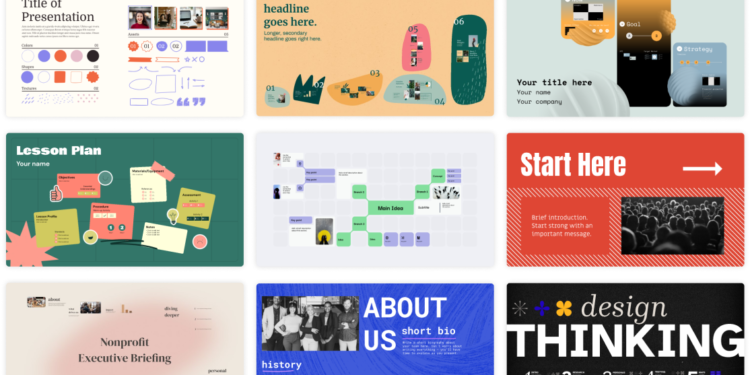
Prezi builds presentations on a single zooming canvas instead of a stack of slides, which suits a founder pitching investors who wants the deck itself to stand out from the usual slide format investors see dozens of times a week.
Key features
- A zooming, non-linear canvas instead of fixed slide order
- AI-assisted presentation generation to speed up a first draft
- A desktop app with offline access on paid tiers
- Presenter analytics showing how viewers engage with a shared deck
- Video overlay, letting a presenter appear on screen alongside the content
Pricing
Prezi’s own pricing page did not return exact figures at the time of research, so the numbers below are third-party-sourced (via a SaaS pricing tracking site) rather than pulled directly from Prezi. As reported there, Basic is free, Standard runs about $7 a user per month, Plus about $19 a user per month, and Premium about $29 a user per month, billed annually. Confirm exact current pricing on Prezi‘s own site before subscribing, since third-party trackers can lag a live pricing page.
Pros and cons
| Pros | Cons |
|---|---|
| A genuinely different visual format that stands out in an investor’s inbox full of standard slide decks | The free Basic tier only supports public presentations, which won’t work for a confidential pitch deck |
| Analytics show whether an investor actually opened and viewed a shared deck | The non-linear format has a learning curve compared to a familiar slide-by-slide builder |
Who it’s for
Founders preparing an investor pitch or a conference talk who want a visually distinct format and the ability to see whether a shared deck was actually opened.
Who should skip it
A team that needs to collaborate on a deck with several editors at once, or that just wants a fast, familiar slide builder, may find a standard slide tool quicker to work with.
How to get started
Build one pitch deck on the free Basic tier to test the zooming format, then upgrade to a paid tier once you need private sharing for confidential figures.
FAQ
Can I keep a Prezi deck private for an investor pitch?
Privacy controls are part of the paid Standard tier and above. The free Basic tier is limited to public presentations, which isn’t suitable for confidential financials.
Can I export a Prezi presentation as a PDF?
PDF export is available on paid tiers, useful for sending a static backup version alongside the interactive link.
Disclosure: Moroccopreneur may earn a commission if you sign up for Prezi through the links in this article. This does not change what you pay, and it does not influence which tools we choose to cover.