Is your team’s time working for you or against you? In today’s fast-paced business world, every minute counts. Yet many companies struggle with manual timekeeping and unclear productivity metrics.
Hubstaff offers a comprehensive solution. This software goes beyond basic time tracking. It provides detailed insights into how your team works. You get accurate data on projects and tasks.
The right time tracker transforms your operations. Modern teams need more than a simple clock-in app. They require tools that monitor activity, location, and output. This gives managers a clear view of work patterns.
With remote work now common, proof of work matters more than ever. Automated systems track hours and generate reports. Workers can use desktop or mobile apps. Managers access a central dashboard for oversight.
A 14-day free trial lets you test the platform. You can evaluate privacy controls and timesheet accuracy. The system helps manage clients and improve job costing. This review will examine if it fits your needs.
Key Takeaways
- Hubstaff provides comprehensive time tracking for modern businesses
- The software includes productivity monitoring and detailed reporting features
- Over 8,000 companies use this platform for workforce management
- Remote work trends have increased demand for proof-of-work tools
- The system transforms manual timekeeping into automated processes
- Detailed reports help with project management and client billing
- A 14-day free trial allows for risk-free evaluation
Why Efficient Time Tracking is Essential for Modern Teams
The transition to remote work has made traditional timekeeping methods obsolete. Companies can no longer rely on manual systems that worked in office environments. Modern teams need accurate, automated solutions.
The Challenge of Manual Timekeeping and Remote Work
Manual time tracking wastes valuable resources. Paper timesheets and Excel spreadsheets are error-prone. Employees often forget to log hours or make calculation mistakes.
These errors create administrative headaches. Managers spend hours correcting timesheets each week. Payroll processing becomes a guessing game rather than a precise operation.
The shift to remote work amplified these problems. Distributed teams operate outside traditional oversight. Without physical presence, tracking productivity becomes challenging.
Businesses face real costs from poor time tracking. Inaccurate client billing damages relationships and revenue. Payroll errors lead to employee dissatisfaction and potential legal issues.
Companies cannot measure project profitability without reliable data. They waste money on inefficient processes and misallocated resources. Manual systems provide no visibility into actual work patterns.
How Proof of Work Drives Productivity and Profitability
Proof of work has become non-negotiable in today’s distributed workforce. Flexible arrangements require new accountability measures. Businesses need evidence that hours translate into actual output.
Proper time tracking provides this visibility. Managers see exactly how team members spend their work hours. This data enables informed decisions about resource allocation.
Tracking time helps identify productivity bottlenecks. Companies discover which tasks consume disproportionate resources. They can streamline processes and eliminate inefficiencies.
Accurate time data directly connects to profitability. Proper client billing ensures companies capture all billable hours. Project budgeting becomes precise with real labor cost information.
Field teams and remote workers present specific challenges. These employees operate outside traditional office environments. They require different tracking approaches than desk-based staff.
Time tracking software provides necessary transparency. Solutions like Hubstaff offer the accountability modern businesses need. They transform guesswork into measurable performance metrics.
Effective time tracking is no longer optional. It’s essential for businesses to remain competitive. Companies that master this discipline gain significant advantages in the modern economy.
Hubstaff Core Features: How It Transforms Time Management
What separates basic time trackers from comprehensive workforce management solutions? The answer lies in a complete feature set that automates every aspect of time management. This software transforms manual processes into streamlined operations.
Simple Start/Stop Timer and Timesheet Management
The foundation of any good time tracking system is an intuitive timer. This platform offers a simple start/stop interface that floats on your screen. Users can track time to specific projects and tasks with one click.
Accuracy matters in professional settings. The system records time down to the second for precise billing. This eliminates guesswork and ensures fair compensation for all hours worked.
Timesheet management becomes effortless with both automated and manual options. Workers can edit entries if they forget to start the timer. Managers gain a clear view of daily and weekly work patterns.
This combination creates a frictionless experience for tracking work hours. Employees spend less time logging activities and more time being productive. Administrative burdens decrease significantly across the organization.
GPS Location Tracking and Geofencing for Field Teams
Field teams present unique challenges for time management. These workers operate at various job sites rather than a fixed office. Traditional tracking methods often fail in these environments.
GPS location tracking provides real-time visibility into field operations. Managers can see worker movements and routes displayed on interactive maps. This feature is particularly valuable for service businesses and construction teams.
Geofencing takes location management to the next level. Virtual boundaries create defined work zones around specific sites. The system sends automatic notifications when team members enter or exit these areas.
This technology ensures accurate job site reporting without manual check-ins. Companies gain proof of presence for client billing and project management. Field workers maintain autonomy while providing necessary location data.
Activity Monitoring, Screenshots, and URL/App Tracking
Modern businesses need more than just time tracking. They require insights into how that time is actually spent. Activity monitoring features provide this crucial information.
The system captures periodic screenshots during work hours. Privacy controls allow optional blurring for sensitive information. This creates transparency without compromising security.
Keyboard and mouse activity levels show engagement with tasks. URL and application tracking reveals which tools employees use most frequently. Managers can identify effective software versus unnecessary distractions.
These metrics help optimize workflows and improve overall productivity. Teams can eliminate inefficient processes and focus on what works best. The data supports informed decisions about tool investments and training needs.
Automated Payroll, Invoicing, and Client Budgets
The true value of time tracking emerges when data transforms into actionable results. Automated payroll systems calculate payments based on tracked hours and individual pay rates. Integration with PayPal streamlines the payment process.
Invoicing becomes remarkably efficient with this approach. The software generates client invoices automatically based on time worked. This eliminates manual calculations and reduces billing errors.
Client and project budget features prevent financial oversights. Managers set weekly limits to control spending on specific jobs. The system provides alerts when teams approach these thresholds.
These financial controls protect profitability while maintaining client trust. Businesses can deliver projects within agreed budgets more consistently. The automation reduces administrative workload for accounting teams.
Together, these features create a complete time management ecosystem. Manual tasks become automated processes that save hours each week. Companies gain valuable data for improving operations and increasing profitability.
Platform Accessibility and Key Integrations
A time tracker’s value multiplies when it seamlessly connects across your entire digital workspace. Modern teams need software that works wherever they do. This means access from any device and integration with existing tools.
The right platform removes barriers to tracking time. It should fit naturally into daily workflows. Strong connections between systems create a unified view of work.
Desktop, Chrome Extension, and Mobile App Syncing
Dedicated desktop applications for Windows and Mac provide robust tracking. The software runs quietly in the background. It captures accurate data without interrupting workflow.
A Chrome browser extension adds another layer of convenience. Rated 3.7 stars, it allows tracking directly within the browser. Users can capture screenshots and monitor time on specific websites.
Mobile apps for iOS and Android complete the accessibility picture. With over 1.4K ratings, these apps offer an intuitive interface. Recent updates enhanced background location tracking and timesheet submission.
All platforms sync data instantly to cloud servers. Information stays current across every device. Team members can switch from phone to desktop without losing data.
The mobile app is particularly valuable for field workers. It enables tracking time away from a computer. Location services provide GPS tracking for accurate job site reporting.
Connecting with Project Management Tools: Asana, Trello, Jira
This solution integrates with over thirty popular business tools. Direct connections with Asana, Trello, and Jira streamline project management. Time data automatically links to specific tasks and projects.
Teamwork and Basecamp integrations offer similar benefits. The platform’s own task management features provide built-in organization. These connections eliminate manual data entry between systems.
Accounting software integration simplifies financial processes. QuickBooks Online connection automates payroll and invoicing. Tracked hours flow directly into payment calculations and client bills.
These integrations create a cohesive ecosystem for managing work. Teams maintain their preferred project management methods. The time tracker adds a layer of productivity insight without disruption.
Cloud-Based Dashboard for Real-Time Oversight
All synchronized data feeds into a central cloud-based dashboard. Managers gain real-time visibility into team activity from any internet-connected device. The dashboard shows current work status and productivity metrics.
Cloud synchronization offers significant operational advantages. No manual backups are required—the system handles data protection automatically. Access is available from anywhere at any time.
Security measures protect sensitive information in transit and at rest. A clear privacy policy governs how user data is handled. These protections ensure compliance with modern data standards.
This approach provides managers with comprehensive oversight. They can monitor projects, track budgets, and view reports from a single interface. The cloud dashboard becomes the command center for distributed teams.
Hubstaff Pricing Plans: Finding the Right Fit for Your Business
Choosing the right pricing tier for your time tracking software requires understanding both your current needs and future growth. The platform offers three clear tiers with distinct feature sets. Each plan scales to match different business requirements and team sizes.
This transparent pricing model helps companies budget effectively. You pay only for the features your team actually needs. The structure avoids hidden fees or complex calculations.
The Basic Plan: Core Time Tracking at $7/User/Month
The entry-level option starts at seven dollars per user monthly. It provides essential tools for monitoring work hours and productivity. This tier suits small teams needing fundamental oversight.
Core features include accurate time tracking with a simple start/stop timer. Activity level monitoring shows engagement during work periods. Unlimited screenshots offer visual proof of work without extra charges.
Basic payments functionality handles straightforward compensation. The plan includes one integration with other business tools. Round-the-clock support ensures help is always available.
This affordable option delivers value for startups and small businesses. It covers the fundamentals without overwhelming users with advanced features. Teams can track time effectively on a tight budget.
The Premium Plan: Full Monitoring & HR Features at $10/User/Month
The most popular tier costs ten dollars monthly per team member. It expands functionality with comprehensive monitoring and human resources tools. This plan fits growing companies needing detailed insights.
Application and URL tracking reveals which software tools employees use most. Mobile GPS tracking provides location data for field workers. This feature is crucial for service businesses with mobile teams.
Time-off and holiday management simplifies schedule coordination. Scheduling and attendance features help managers organize shifts. Expense tracking captures additional job-related costs.
Automated invoicing and payroll save administrative hours each week. Client and project budgets prevent financial overruns. Support for unlimited teams allows seamless departmental expansion.

The Enterprise Plan: VIP Support and Unlimited Job Sites
The top-tier plan targets larger organizations at twenty dollars per user. It includes premium support services and expanded operational limits. This option serves companies with complex tracking requirements.
VIP support guarantees rapid response times for technical issues. Unlimited job sites accommodate businesses operating across numerous locations. Concierge account setup provides personalized implementation assistance.
Higher public API limits enable deeper system integrations. Custom configuration options tailor the platform to specific workflows. Enhanced security features protect sensitive organizational data.
This plan delivers maximum flexibility for enterprise operations. It supports large-scale deployment across multiple departments. The pricing reflects the comprehensive nature of these advanced features.
The 14-Day Free Trial and Onboarding Process
All plans begin with a two-week trial period. Businesses can test every feature without providing payment information initially. This risk-free evaluation helps teams make informed decisions.
The onboarding process starts with a welcome email containing setup instructions. Companies can schedule a personalized call with implementation specialists. Instructional videos provide visual guidance for key features.
Step-by-step guides walk users through configuration options. The trial includes full access to reporting and dashboard features. Teams experience the complete platform before committing financially.
This approach reduces barriers to adoption for new customers. After the trial, businesses select their preferred plan based on actual usage patterns. The choice depends on specific needs for monitoring, reporting, and HR functionalities.
Compared to alternatives, this pricing structure offers competitive value. Some competitors charge base fees that increase costs for small teams. Others price per project rather than per user.
The per-user model scales naturally with business growth. Companies can mix plans for different team members based on their roles. Field workers might need the Premium plan for GPS tracking.
Office staff could use the Basic plan for simple time tracking. This flexibility optimizes software spending across the organization. Each tier delivers appropriate value for its target audience.
Evaluating the Hubstaff User Experience and Reporting
User experience and reporting capabilities determine whether time tracking software becomes a valuable tool or just another administrative burden. The interface must be intuitive enough for daily use by all team members. Reporting functions need to transform raw data into clear business insights.
This platform excels in both areas. Navigation feels natural from the first login. The reporting system delivers comprehensive analysis without complexity. Together, they create a system that teams actually want to use.
Intuitive Dashboard and Real-Time Activity Feed
A clean sidebar provides instant access to all key functions. Users find Dashboard, Activity feed, Timesheets, Reports, To-do’s, and Expenses with one click. This logical organization reduces training time for new team members.
The dashboard presents critical metrics at a glance. Managers see weekly hours worked across their entire team. Recent tasks display with current status and time investment.
Activity percentages show engagement levels throughout the work day. Top projects appear ranked by time allocation. Frequently used applications and websites highlight workflow patterns.
The real-time activity feed offers immediate visibility. Managers watch what each person works on throughout the day. Active time counters and productivity levels update continuously.
This live view eliminates guesswork about current work status. Field workers appear on the map with location data. Office teams show their active applications and tasks. Everyone remains accountable without micromanagement.
Comprehensive Reports on Time, Payments, and Project Budgets
The reporting module covers every aspect of time management. Time and activity reports detail hours worked and engagement levels. Weekly summaries condense seven days of data into actionable insights.
Payment calculations automate payroll processing. The system shows amounts owed to each worker based on tracked hours. Project budget status alerts managers before overspending occurs.
Time-off balances help with schedule planning and capacity management. Invoice generation connects directly to client billing. Every financial aspect receives proper documentation.
Timesheet functionality supports both manual entry and automated tracking. Recent updates allow direct submission from the Timesheets tab. Notes now appear within reports for better context.
Filtering options let managers focus on specific data sets. Reports can isolate information by date range, team member, project, or client. Saved filters create templates for recurring analysis.
Export capabilities include CSV and PDF formats. Data moves easily into external systems for further processing. Sharing reports with clients or stakeholders requires just a few clicks.
Strengths in Data Visualization and Team Transparency
Raw time data transforms into visual insights through charts and graphs. Color-coded metrics make patterns immediately recognizable. Trends emerge clearly across weeks or months of tracking.
This visualization helps managers make data-driven decisions. Resource allocation improves with visibility into actual time investments. Project prioritization aligns with strategic goals when supported by evidence.
Process improvements become obvious when inefficiencies appear visually. The platform’s reporting system turns numbers into actionable intelligence.
Transparency benefits extend throughout the organization. Team members view their own time data and productivity metrics. This fosters personal accountability and self-management.
Everyone understands how their work contributes to larger goals. The mobile app maintains this clarity on smaller screens. Interface optimization preserves data visualization quality on phones.
Managers gain confidence in their oversight capabilities. They allocate resources based on evidence rather than intuition. Project timelines become more predictable with accurate historical data.
The entire system promotes a culture of measurable productivity. Workers appreciate seeing their contributions quantified. Clients receive detailed reports that justify invoices. Every stakeholder benefits from clear, accessible information.
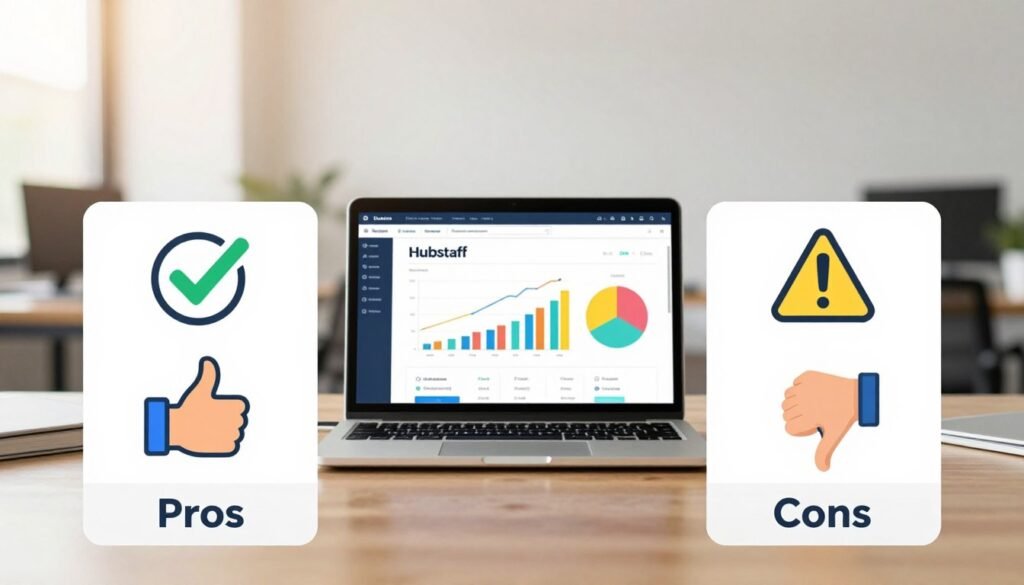
Hubstaff Pros and Cons: A Balanced Look
A clear assessment helps you determine if this platform matches your operational needs. The software delivers significant benefits in specific areas while having clear boundaries in others. Understanding this balance ensures you select the right tool for your team’s workflow.
User reviews and expert analysis provide valuable insights. The Chrome extension holds a 3.7-star rating from real users. The mobile app has over 1.4K ratings, offering authentic perspectives on daily use.
Advantages: Robust Monitoring, Automation, and Scalability
Comprehensive monitoring stands as a major strength. The platform captures screenshots, activity levels, and application usage. URL and website tracking reveals how team members spend their digital hours.
This data creates transparency for managers and accountability for workers. GPS tracking provides location verification for field teams. All this information feeds into clear reports.
Automation features save considerable administrative time. Payroll processing calculates payments based on tracked hours. Invoice generation connects directly to client billing.
Budget management prevents project overspending. These automated workflows reduce errors and improve financial accuracy. Managers gain more time for strategic work.
The software scales effectively from small teams to large enterprises. Different pricing plans accommodate various business sizes. Setup is straightforward with an intuitive interface.
This reduces training time and accelerates adoption across organizations. Competitive pricing offers good value for the features provided.
Limitations: Lack of IP Restrictions and Photo Clock-In
Some businesses need geographic verification for clock-ins. This platform does not restrict tracking by IP address. Employees can log time from any location without this check.
This could be a concern for roles requiring physical presence. Photo clock-in functionality is absent from the feature set. Some competitors offer this for additional verification.
It’s particularly useful for field and retail workers. Clock-in via phone call is not supported by the system. Workers without smartphones face a potential barrier.
The mobile app has certain functional boundaries. It cannot capture screenshots of phone activity. Application tracking on mobile devices is also limited.
These limitations matter for specific use cases. Businesses must evaluate if these missing features affect their operations. For many teams, the existing tools provide sufficient oversight.
How It Compares to Alternatives Like TSheets and Zoho Projects
Direct comparison with TSheets reveals different pricing approaches. This software charges per user without monthly base fees. TSheets offers a free basic account but adds $20-$100 base charges.
This makes the platform more cost-effective for smaller teams. The structure scales naturally as businesses grow. You pay only for the team members who need tracking.
Zoho Projects takes a different approach to work management. It offers full project management at $20 monthly for 10 users. This platform specializes in time tracking and monitoring.
Zoho provides broader project tools at different price points. Your choice depends on whether you need dedicated tracking or comprehensive project management. Many businesses use both systems for different purposes.
Privacy considerations are important given the monitoring capabilities. The platform’s privacy policy addresses data collection and usage. It outlines how information is protected and managed.
This transparency helps businesses maintain trust with their teams. Proper implementation ensures monitoring supports productivity without creating discomfort. Clear communication about these features is essential.
Real user feedback highlights both satisfaction and concerns. The ratings provide authentic perspectives on daily use. This balanced view helps potential customers make informed decisions.
Conclusion: Is Hubstaff the Right Time Tracker for Your Company?
The final decision on time tracking software comes down to how well it addresses your specific operational challenges.
This platform delivers strong value for small to midsize businesses with remote or field teams. It combines detailed monitoring with automated payroll and clear reports.
Ideal use cases include companies needing GPS location tracking for field workers. Businesses wanting application and website usage insights also benefit.
The software may not fit organizations requiring IP-based restrictions or photo clock-in verification.
Take advantage of the 14-day free trial to test the features with your actual workflow. Consider starting with the Premium plan for full functionality.
Hubstaff represents a solid investment for transforming time management with measurable ROI.
FAQ
How does the GPS location tracking feature work for field teams?
The software uses GPS from your mobile device to log your location during tracked time. Managers can view routes and job site visits on a map within the dashboard. This provides proof of work and helps with accurate client billing for field service projects.
Can I integrate this time tracker with other tools my team uses?
Yes. It connects directly with popular project management platforms like Asana, Trello, and Jira. This syncs tasks and projects, allowing your team to track hours without leaving their primary work software.
What kind of reports can I generate to understand productivity?
You can create detailed reports on time spent, payments, and project budgets. The dashboard offers visual charts and data to show team activity, helping you analyze trends and make informed decisions about resource allocation.
Is there a free trial available to test the features?
Yes, a 14-day free trial is offered for all plans. This allows you to explore the timer, monitoring, and reporting tools with your actual tasks and team members before making a financial commitment.
How does the automated payroll and invoicing function save time?
The system automatically calculates wages based on tracked hours and set pay rates. It can then generate invoices for clients or process payments, streamlining your financial workflow and reducing manual administrative tasks.
What platforms are supported for using the time tracking app?
It is accessible via desktop applications, a Chrome browser extension, and dedicated iOS and Android mobile apps. All platforms sync data to a central, cloud-based dashboard for real-time oversight.
How does the activity monitoring feature function?
While the timer runs, the software can measure activity levels based on keyboard and mouse use. It can also optionally capture periodic screenshots and track URLs and applications used, providing insights into work patterns.